Challenge
Hey there - Jared Folkins here! My favorite Christmas movie is White Christmas - find me online and tell me yours!
Like Santa says, it’s better to give than receive. I love singing carols with my family and giving the gift of learning.
I’ve built an interactive networking visualization to show how packets travel, protocols work, and networks behave - way more fun than reading a textbook.
Ready to dive into some hands-on network exploration?
Solution
There is a separate website for this task:
It also offers a wealth of useful information, so I will just provide the correct settings here:
Challenge 1: DNS Lookup
Step one is to find the IP address of visual-networking.holidayhackchallenge.com. Let's use an IPv4 DNS request!
Port: 53
Domain Name: visual-networking.holidayhackchallenge.com
Request Type: A
Response Value: 34.160.145.134
Response Type: A
Challenge 2: TCP 3-Way Handshake
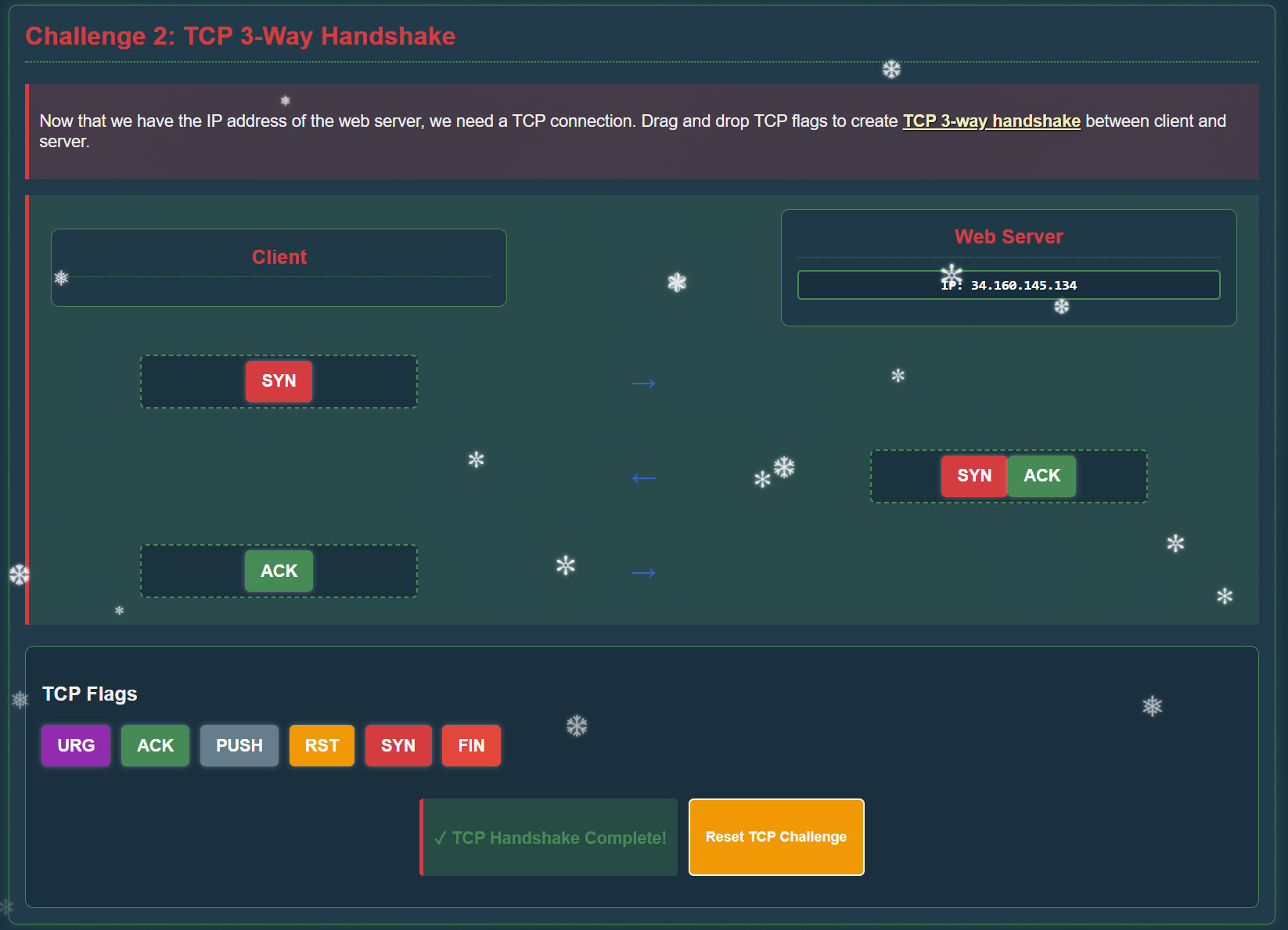
Now that we have the IP address of the web server, we need a TCP connection. Drag and drop TCP flags to create TCP 3-way handshake between client and server.
Client: SYN
Web Server: SYN ACK
Client: ACK
Challenge 3: HTTP GET Request
Now that we have established a TCP connection, let's create an HTTP GET request to retrieve the web page.
HTTP Verb: GET
HTTP Version: HTTP/1.1
Host: visual-networking.holidayhackchallenge.com
User-Agent: agent
Challenge 4: TLS Handshake
Great job with HTTP! Now let's set up a secure connection using TLS. Drag and drop the TLS messages to create the correct handshake sequence.
Client: Client Hello
Server: Server Hello
Server: Certificate
Client: Client Key Exchange
Server: Server Change Cipher Spec
Server: Finished
Challenge 5: HTTPS GET Request
Now that we've established a secure TLS connection, let's make an HTTPS request to retrieve the website securely.
HTTP Verb: GET
HTTP Version: HTTP/1.1
Host: visual-networking.holidayhackchallenge.com
User-Agent: agent