Visual Firewall
Difficulty:
Shown in Report
Find Elgee in the big hotel for a firewall frolic and some techy fun.
Hey there! I’m Chris Elgee - probably on the road again, maybe hunting for souvenirs and rocking a loud shirt. Life’s too short not to have fun - and yes, finger guns totally belong in military portraits.
Welcome to my network security corner! I’ve cooked up something sweeter than a whoopie pie - an interactive firewall simulator that’ll teach you more in minutes than most books do in chapters.
Don’t worry about breaking stuff - that’s how you learn!
Ready to dig in and test your firewall skills?
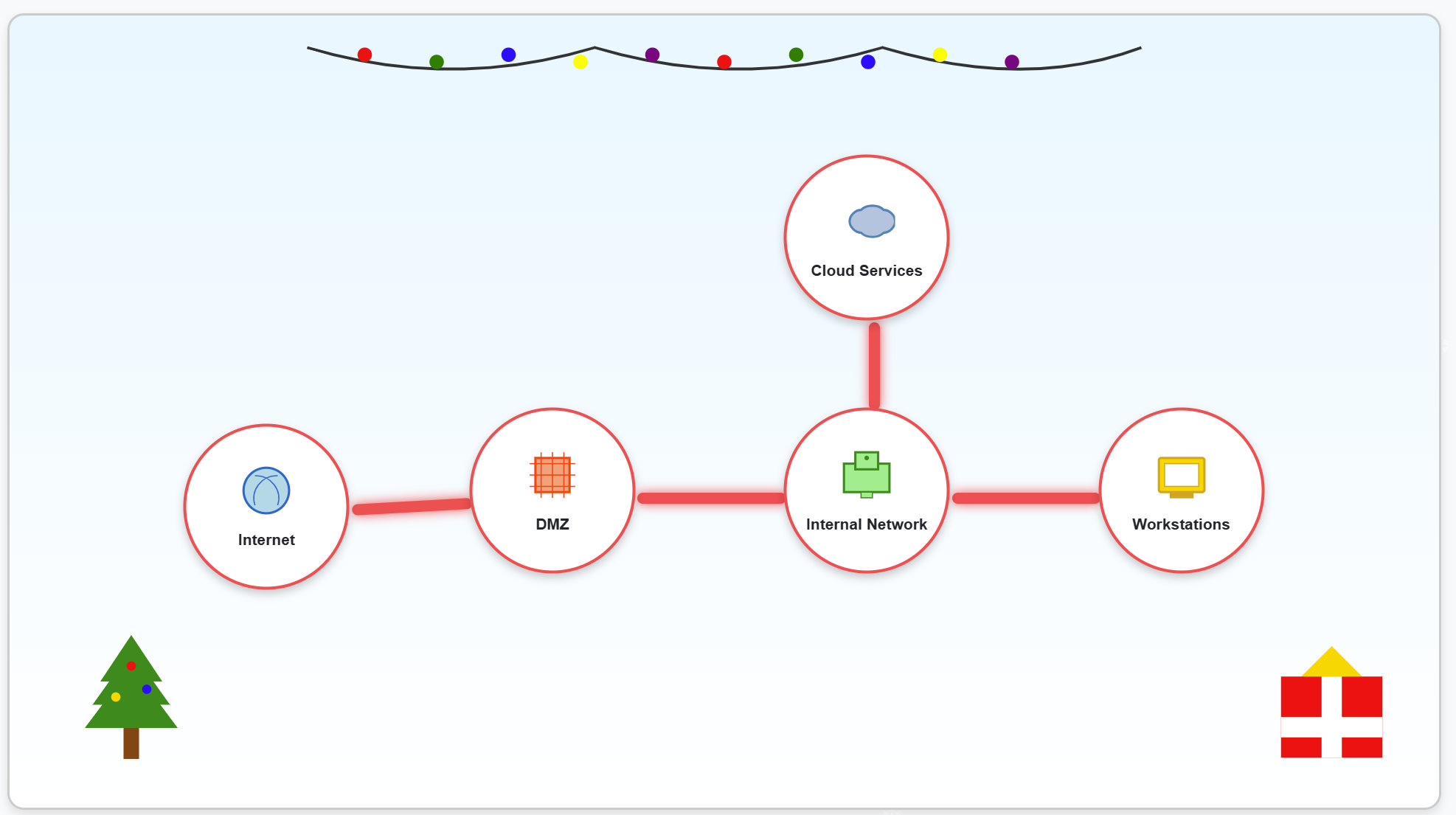
This interactive simulator helps us understand how firewalls protect different network zones. We can click on any connection between zones to configure firewall rules.
It's quite straightforward so let's have a look at the correct settings:
Internet to DMZ: Allow only HTTP and HTTPS traffic
Internet
Connection to DMZ (Demilitarized Zone)
HTTPS (Port 443) + HTTP (Port 80)
DMZ to Internal: Allow HTTP, HTTPS, and SSH traffic
DMZ (Demilitarized Zone)
Connection to Internal Network
HTTPS (Port 443) + HTTP (Port 80) + SSH (Port 22)
Internal to Cloud: Allow HTTP, HTTPS, SSH, and SMTP traffic
Internal Network
Connection to Cloud Services
HTTPS (Port 443) + HTTP (Port 80) + SSH (Port 22) + SMTP (Port 25)
Internal to Workstations: Allow all traffic types
Internal Network
Connection to Workstations
ALL